reCAPTCHA Settings
13The Security settings are designed to protect your appointment forms from automated spam and malicious messages. This section allows you to configure your reCAPTCHA credentials, ensuring that only genuine patient inquiries reach your inbox while maintaining a seamless user experience.
reCAPTCHA Setup
1
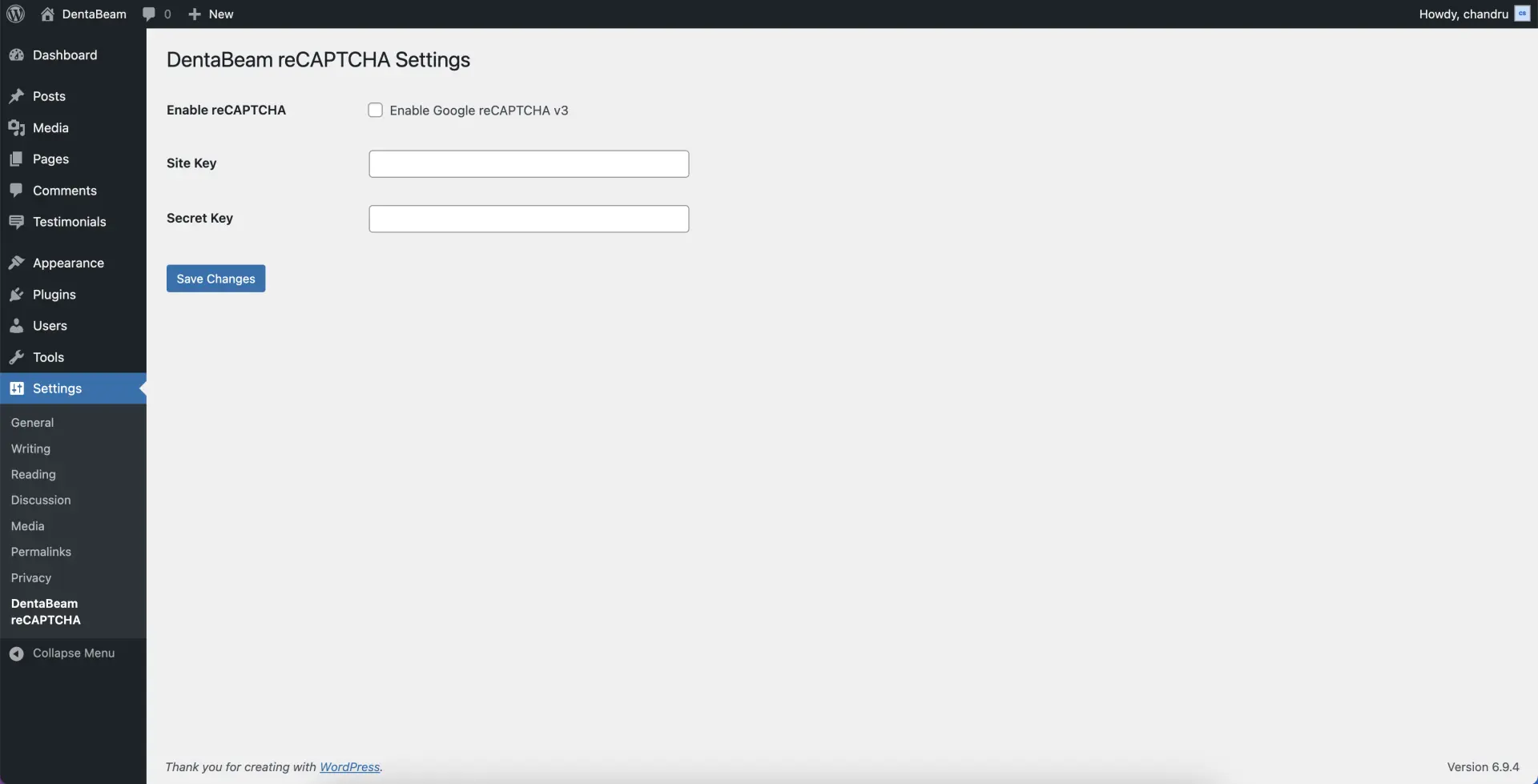
Go to Settings → DentaBeam reCAPTCHA
First, check the box to enable Google reCAPTCHA v3. Then, enter your unique Site Key and Secret Key into the designated text fields.
2
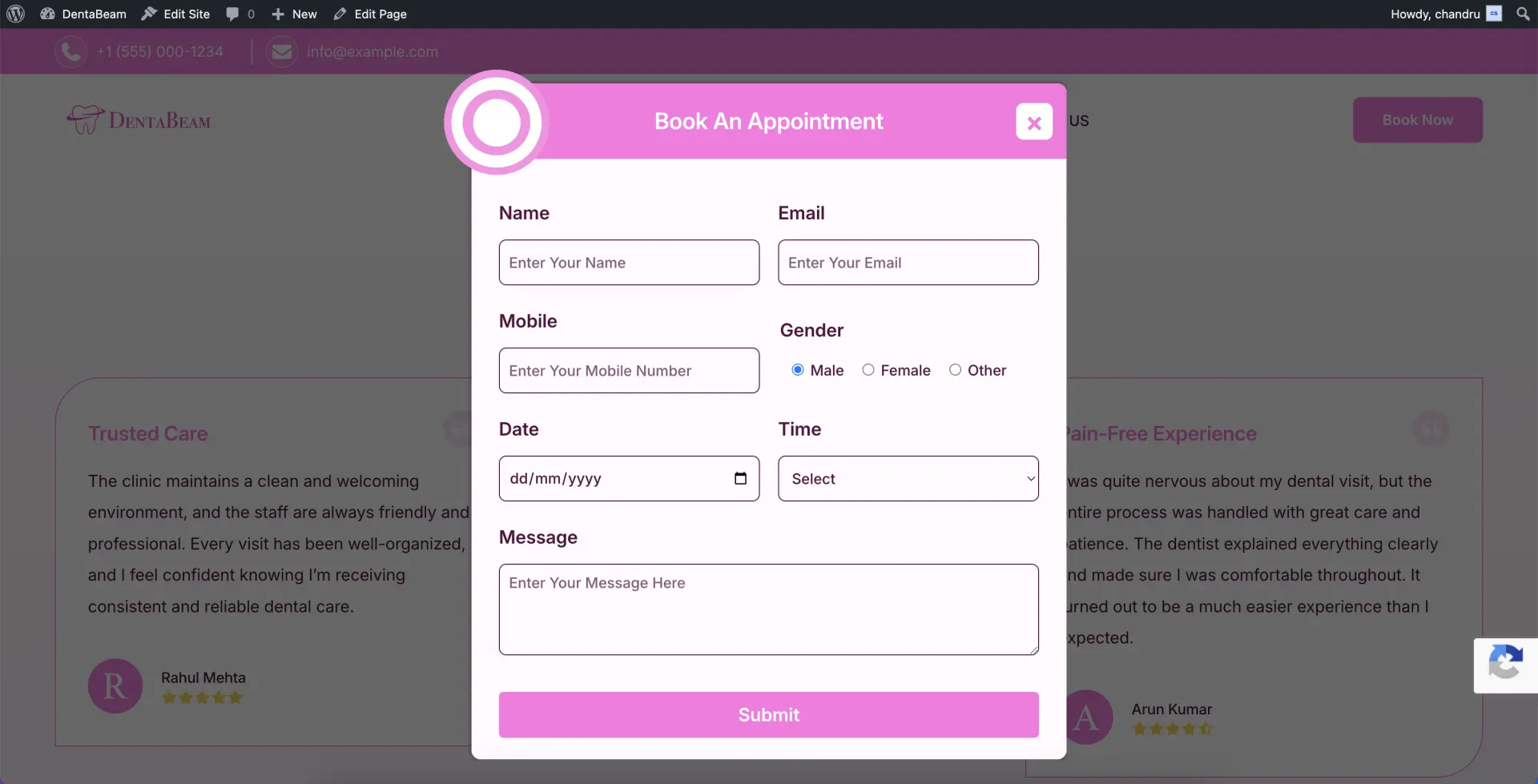
Verification of Success
Once configured, visit any page containing an appointment form. You will see the reCAPTCHA badge displayed, confirming that your form is now protected against spam.