Theme Options & Customization
03Tailor your site with ease using the WordPress Site Editor. DentaBeam is fully built for block-based, no-code customization.
Opening the Site Editor
1
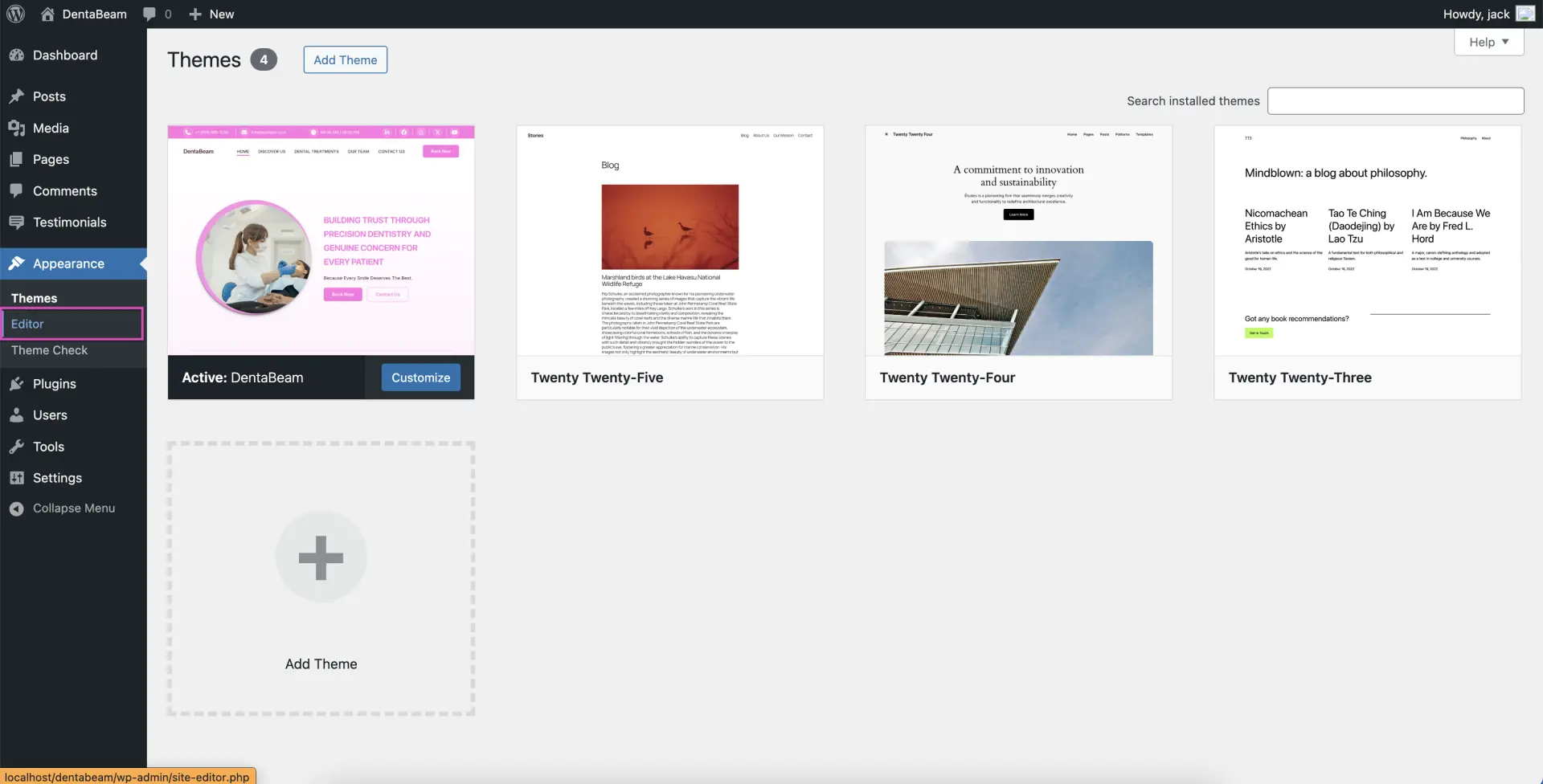
Go to Appearance → Editor
This opens the full Site Editor where you can customize every part of your website.
2
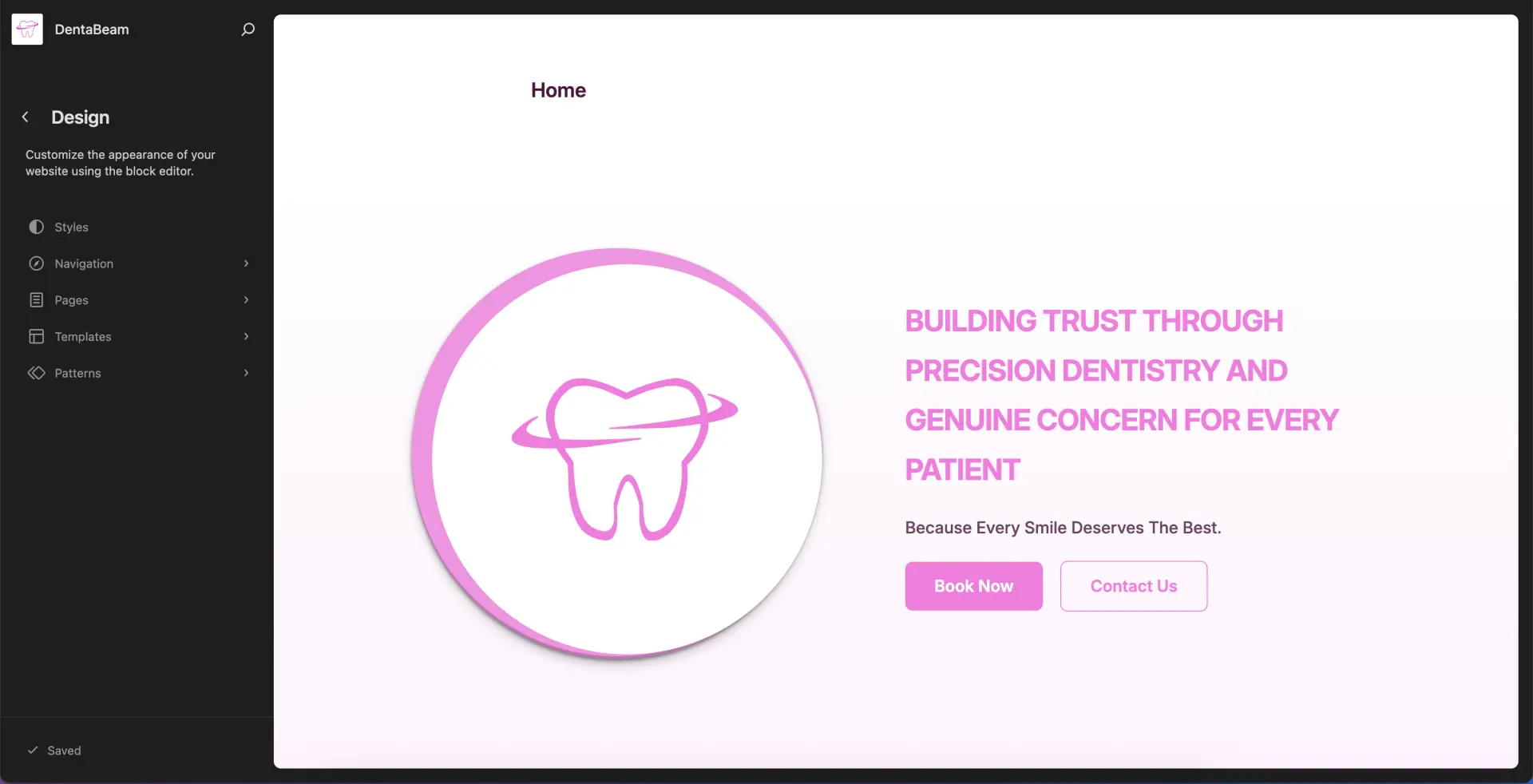
Use the left panel to navigate
Browse Styles, Navigation, Pages, Templates and Patterns from the sidebar.
Customizing Your Site
Styles
Set your site’s base styles, backgrounds, and typography under Styles → Browse Styles.
Navigation
Add, remove, or reorder menu items under Navigation in the Site Editor.
Templates
Customize site templates to control the layout of your pages, posts, and archives.
Patterns
Access and manage all patterns and template parts.